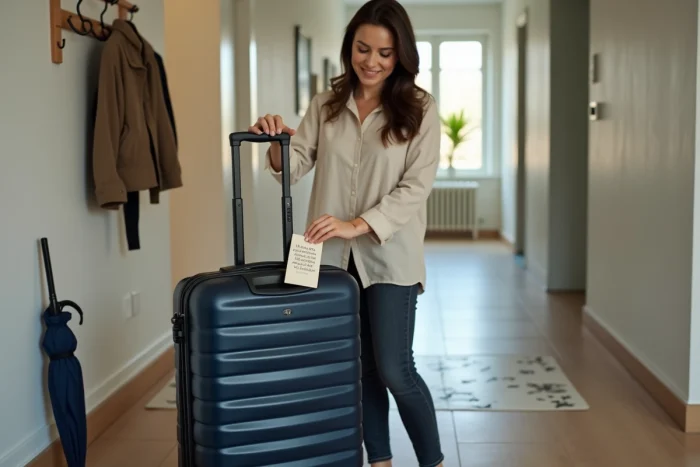
A PDF template downloaded from a travel blog and an official tag generated at check-in do not serve the same purpose. Confusing the two can lead to misdirected luggage on the automated conveyor, or even refusal at the baggage drop-off. Here we detail the technical specifications to follow in order to produce reliable baggage tag templates that comply with SNCF requirements and those of airlines.
Machine Readability Specifications for an Airline Baggage Tag
The automated conveyors at airports read barcodes and QR codes at high speed. IATA imposes specific criteria: minimum resolution, high contrast between the background and the code, standardized size, correct orientation, and sufficient quiet zone (white margin around the code).
A decorative PDF without a compliant barcode does not replace the official tag generated during check-in. Barcode reading errors are among the major causes of misdirected luggage on sorting belts.
Specifically, if you are preparing a baggage tag to print in PDF to visually identify your suitcase (name, contact details, flight number), it complements the airline tag but never replaces it. The “homemade” templates found online serve as personal identification, not as airport sorting tags.
Several European airlines (Air France, Lufthansa, Iberia) now offer a Home Printed Bag Tag process: you print the official tag with its barcode at home, then attach it to the luggage before using the automatic drop-off kiosk. This document meets IATA standards. A generic template found on a third-party site does not meet these standards.

PDF Template for SNCF Baggage Tag: Format and Mandatory Information
SNCF makes baggage tagging mandatory on TGV and TGV InOui trains. Since the tightening of security measures in French train stations, checks have intensified, especially during peak times.
The e-Tag offered by SNCF (downloadable via the website or app) is free. It allows you to prepare baggage identification at home. SNCF also provides tags with QR codes at certain reception points in stations, which anonymize the contact details displayed on the suitcase.
Information to Include on the Template
- Traveler’s first and last name, clearly legible (characters large enough to be read from arm’s length)
- Mobile phone number with international dialing code if the journey crosses French borders
- Destination address rather than home address, to facilitate return in case of loss during the journey
- Train number or booking reference, useful for SNCF agents to quickly locate the owner
Opt for sufficiently thick paper to withstand friction in overhead compartments and weather conditions on the platform. Standard office paper tears at the first snag. We recommend laminating the document or using a rigid tag holder.
Designing a Reusable PDF Template: Technical Choices
Creating a unique template that you will reprint for each trip saves considerable time. A few technical choices determine the durability and readability of the result.
Page Format and Cutting Dimensions
A common cutting format is around 90 x 55 mm (similar to a business card). This size fits most commercially available tag holders. Plan for a visible cutting line and a centered eyelet hole at the top for the attachment string.
Always export in vector PDF, not as a bitmap image. The text remains sharp regardless of the printer used, and the file size is smaller.
Typography and Contrast
Use a sans-serif font (such as Arial, Helvetica, or Liberation Sans) in at least 10-point size for the name, and 8-point for other fields. Black text on a light background remains the most readable combination in all lighting conditions (station, hold, tarmac).
Templates with colored or illustrated backgrounds reduce readability. If you wish to visually customize the tag to spot your luggage on a conveyor, limit color to the borders and keep the text area pure white.

Airline or Train Baggage Tag: Practical Differences to Know
On a plane, the personal tag serves as a supplement. The official tag (attached by the airline or printed via Home Printed Bag Tag) carries the routing code. Your personal PDF template does not go through the automated sorting system: it is only used to identify you if the airline tag is torn off or unreadable upon arrival.
On a train, the situation is different. The personal tag is the only means of identifying the baggage. There is no automated sorting tag on the SNCF network. Hence the importance of a complete and well-printed template, which serves as the only link between you and your suitcase in case of forgetfulness.
For combined journeys (train then plane), we recommend attaching two distinct tags: the visible personal PDF template at all times, and the airline tag added during check-in. Removing the old airline tag after each flight prevents routing errors on the next journey.
Common Mistakes on Printed Baggage Tags
- Printing on thin paper without lamination: the tag becomes unreadable after a few hours in pressurized, humid cargo
- Leaving old travel tags on the suitcase, which causes confusion in automated sorting systems at the airport
- Providing only an email address without a phone number: agents at the station or airport contact by phone, not by email
One last often-overlooked point: place a copy of your contact details inside the luggage, in addition to the external tag. If the tag is torn off during transport, this internal copy remains the last resort for identifying the owner.